
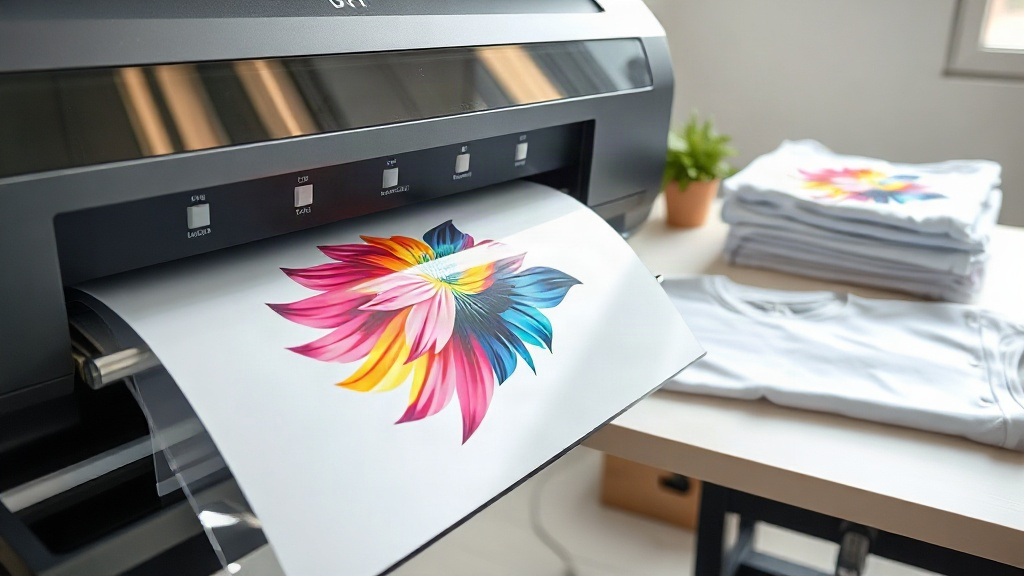
Direct-to-film (DTF) printing has rapidly become a go-to method for creating vibrant, durable transfers on a wide range of fabrics. Unlike other printing techniques, DTF doesn't require pre-treatment or weeding, making it accessible for beginners and efficient for professionals. In this guide, we'll walk you through the entire DTF process, from designing your artwork to pressing the final transfer. You'll learn the essential steps, common pitfalls, and tips to achieve professional results every time.
What Is DTF Printing?
DTF printing stands for Direct-to-Film. It involves printing a design onto a special PET film using a DTF printer, applying a hot-melt adhesive powder, and then curing the powder. The resulting transfer can be pressed onto various fabrics, including cotton, polyester, blends, and even dark colors. The process is relatively simple compared to DTG or screen printing, and it offers excellent durability and stretchability.
Materials You'll Need
To get started with DTF printing, gather these materials:
- DTF printer (e.g., Epson converted with DTF inks)
- DTF film (PET film)
- DTF ink (CMYK + white)
- Hot-melt adhesive powder
- Curing oven or heat press
- Heat press for transferring
- Design software (e.g., Photoshop, Illustrator)
Step-by-Step DTF Printing Process
1. Design Your Artwork
Create your design in a program like Adobe Photoshop or Illustrator. Ensure your design is in CMYK color mode and at 300 DPI for optimal print quality. Remember that DTF printing uses white ink as a base, so your design should have a transparent background. If you're printing on dark garments, the white layer will be printed underneath the colors to make them pop.
2. Print on DTF Film
Load your DTF film into the printer with the matte side facing the print head. Send your design to the printer. The printer will first lay down a white ink layer, followed by the CMYK colors. Some printers also print a white layer on top to protect the design. Ensure your printer settings are correct for DTF film to avoid smudging or banding.
3. Apply Adhesive Powder
While the ink is still wet, sprinkle hot-melt adhesive powder evenly over the printed design. You can use a powder shaker for uniform coverage. Gently shake off excess powder. The powder should stick only to the wet ink. For best results, use a powder specifically designed for DTF printing.
4. Cure the Powder
Place the film in a curing oven or under a heat press at around 160°C (320°F) for 2-3 minutes, or until the powder melts and becomes glossy. If using a heat press, set it to low pressure and place the film on a protective sheet. Curing is crucial; undercured powder leads to poor adhesion and washing off.
5. Press the Transfer
Set your heat press to 160°C (320°F) with medium pressure. Place the garment on the press, then position the DTF transfer on top with the design facing up. Press for 15-20 seconds. Let it cool completely before peeling off the film. For a softer feel, you can press again for a few seconds after peeling.
Common DTF Printing Problems and Solutions
Even with the right equipment, issues can arise. Here are some common problems and how to fix them:
- Ink smudging: Ensure film is loaded correctly and printer settings are optimized for DTF.
- Powder not sticking: Apply powder immediately after printing while ink is wet. Use enough powder.
- Transfer peeling after wash: Increase curing time or temperature. Ensure powder is fully melted.
- Colors look dull: Check that white ink layer is sufficient and printer is using correct color profiles.
Tips for Success
- Always test your settings on a scrap garment before production.
- Store DTF film in a dry, dust-free environment.
- Use high-quality DTF inks and powders for consistent results.
- Keep your printer maintained regularly to avoid clogged nozzles.
Frequently Asked Questions
What fabrics can I use with DTF printing?
DTF transfers work on cotton, polyester, cotton-poly blends, nylon, and even leather. They adhere well to both light and dark colors.
How durable are DTF prints?
When properly cured and pressed, DTF prints can withstand 50+ washes without fading or cracking. They are stretchable and flexible.
Do I need a special printer for DTF?
Yes, you need a printer that uses DTF inks, typically a converted Epson printer with a DTF ink system. Standard inkjet printers won't work.
Can I use DTF on 100% polyester?
Absolutely. DTF printing is excellent for polyester because it doesn't require high temperatures that can scorch synthetic fabrics.
How do I store DTF transfers?
Store unused transfers in a cool, dry place away from direct sunlight. They can last for months if kept clean and dust-free.